
Items search: Hidden Evidence - Detective Hidden Object Game With a UV Flashlight
Editorial age guidance: 6+A non-violent detective search game about collecting evidence with a UV flashlight, with no graphic content.
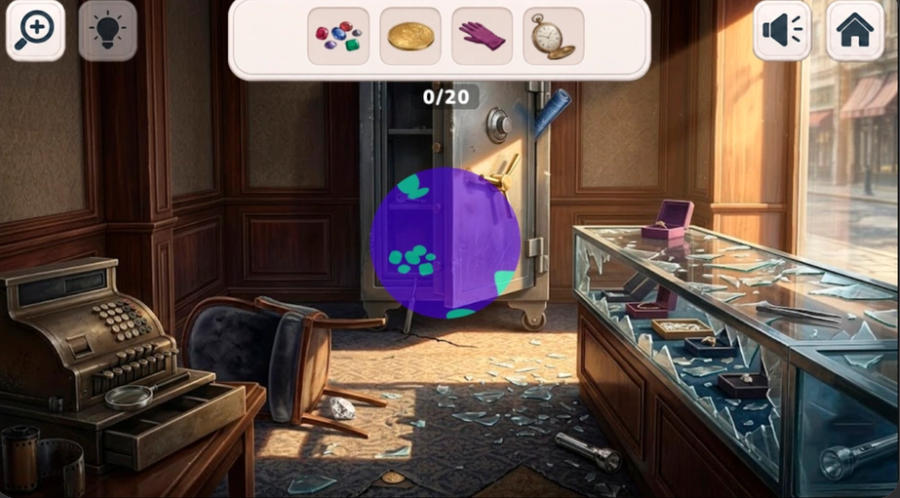
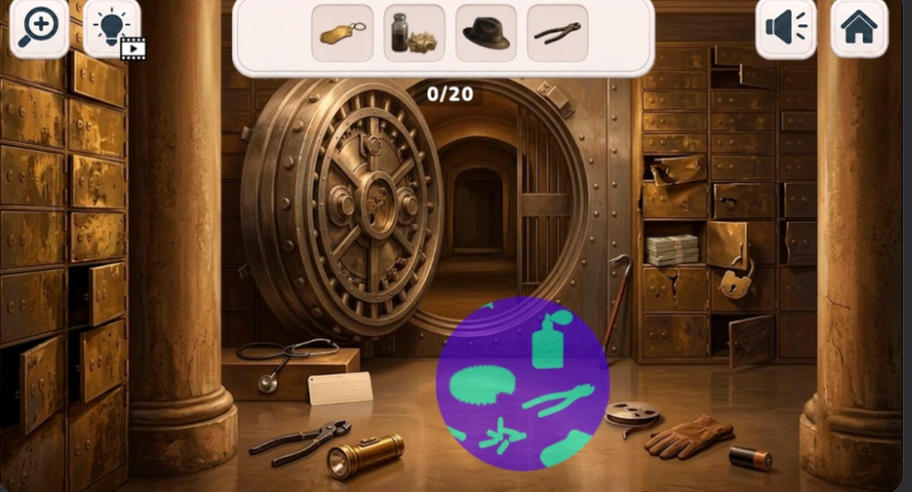
Items search: Hidden Evidence is a detective hidden object game built around one unusual tool: an ultraviolet flashlight. Instead of simply looking at a scene with normal light, you sweep the UV beam across the location to reveal objects and tracks that are invisible to the naked eye. Every case drops you into an enigmatic setting, from a ransacked jewellery shop to a bank vault with its safe door hanging open, and asks you to uncover concealed items, gather vital evidence, and move one step closer to solving the mystery. Scrutinize each location carefully, find the objects shown on the list at the top of the screen, and work through the scene piece by piece. With detailed settings, clues to collect and a relaxed pace, it suits players who enjoy detective stories, puzzles and casual hidden object games.
Reveal Hidden Evidence With the UV Flashlight
What sets Items search: Hidden Evidence apart from a standard search-and-find game is the ultraviolet light. Sweep the beam slowly across the room and details that were completely hidden in ordinary light appear inside the glowing circle: fingerprints, footprints, handprints and other traces left behind by whoever was there before you. Alongside those UV-only marks you also need to collect the physical items named in the list at the top of the screen, so each location asks for two kinds of observation at once. A counter above the scene shows how many objects you have left, which makes it easy to see your progress as you work through a room. Because the beam only illuminates a small area at a time, the search becomes methodical rather than rushed: move the light across the whole location, check the areas you might normally skip, and then go back over anything you passed quickly.
A UV Flashlight That Reveals What Normal Light Hides
The ultraviolet beam is the heart of the game. Without it, a scene only shows furniture, scattered objects and everyday clutter. Sweep the light across the room and hidden marks appear inside the beam, including fingerprints, footprints and similar traces you are meant to find for the case. That single mechanic changes how you search: instead of staring at one picture and hoping to notice something, you scan the whole location with a moving light and watch for evidence lighting up as the beam passes over it.
Detective Scenes Full of Concealed Items
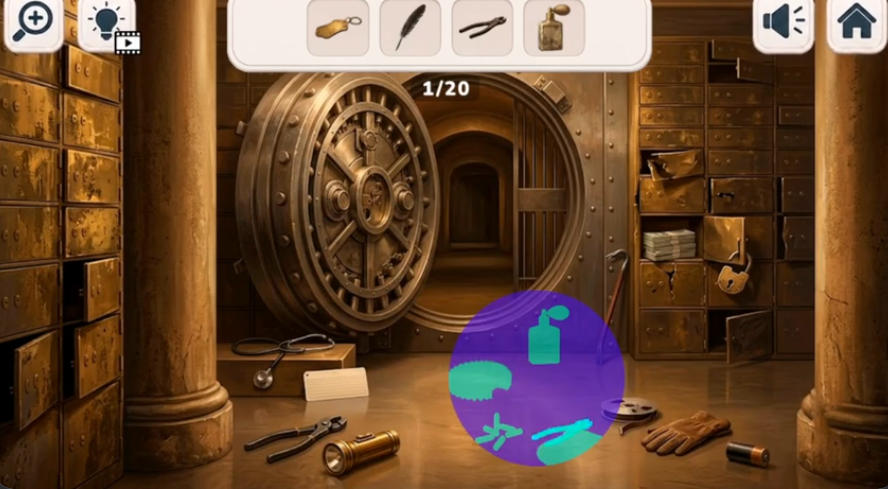
Each location is an investigation scene rather than a plain room. Interiors are packed with the details of an interrupted crime: broken display cases, scattered jewellery boxes, drawers pulled open, tools left on the floor, scattered banknotes and abandoned clothing. The objects you are asked to find are worked into that clutter, so a glove on the ground or a key on a shelf does not announce itself. Searching carefully across the whole scene, rather than only where the light seems to fall, is what gets you through a location.
Object List and Progress at the Top of the Screen
The targets are always visible. A list at the top of the screen shows the items you still need to uncover, and a counter underneath it tracks how many you have found out of the total for that scene. Instead of guessing what the location expects, you can check the list, pick one object, and search specifically for it. Because the counter moves as you find things, it is easy to tell when a scene is nearly finished, which is often the moment to slow down and recheck the corners you skimmed past.
Zoom In When a Detail Is Hard to See
Some objects are small, and some evidence only makes sense when you look at it closely. Zooming in gives you a closer view of the area you are examining, which helps when a shape in the background could be an object from your list or simply part of the scenery. Combining zoom with the UV beam is the most reliable way to confirm a trace or check a crowded surface before you move on.
Hints When You Get Stuck
Not every item is obvious, and a long list can stall on a single missing object. Hints are available when you need them, so a difficult target does not end the investigation. The sensible approach is to search first, look again with the UV beam, and save the hint for the object that is genuinely hard to spot rather than using it as soon as a search slows down.
Relaxing Casual Investigation
Despite the detective framing, the game is designed as relaxed casual play. You are searching a scene, not fighting a countdown or following a complicated story tree, so the challenge comes from observation and patience. That makes it comfortable for short sessions, for playing on a phone in the evening, or for anyone who likes puzzles with clues and mysteries but prefers a calm pace to fast action.
Items search: Hidden Evidence Clue Search Gameplay Video
Watch Items search: Hidden Evidence gameplay for a closer look at reveal hidden evidence with the uv flashlight. What sets Items search: Hidden Evidence apart from a standard search-and-find game is the ultraviolet light. Sweep the beam slowly...
How to Play Items search: Hidden Evidence
Read the Object List
Check the targets shown at the top of the screen and note the counter that tells you how many objects are still hidden in the scene.
Sweep the UV Light Beam
Swipe the ultraviolet beam with your finger on a touchscreen or with your mouse on a computer. Move it slowly across the whole room so evidence is revealed as the light passes over it.
Collect Every Hidden Item
Find the items named in the list, including the physical objects scattered around the location and the traces that only show up under the UV beam.
Zoom In for a Closer Look
If something is small or unclear, zoom in to examine the area before deciding whether it is one of the objects you need.
Use a Hint If You Get Stuck
When a single item refuses to show up, use a hint to keep the investigation moving instead of searching the same corner again and again.
Move On to the Next Case
Keep searching each location until the list is complete and the evidence is gathered, then continue to the next scene and its new set of items to uncover.
Items search: Hidden Evidence is worth trying if you enjoy detective hidden object games that ask for more than a quick scan. The ultraviolet flashlight makes the search active: you are not just looking at a static picture, you are moving a beam across a scene and watching evidence appear where the light touches it. The crime-scene settings give every object a reason to be there, from scattered jewellery and tools to fingerprints and footprints, so the list feels like part of an investigation rather than a random set of targets. Zoom and hints keep a difficult scene from becoming frustrating, and the relaxed casual pace means you can play one location or several without pressure. If you like item search games with clues, mysteries and a twist on the usual search-and-find formula, it is an easy one to start.
For more cases to work through, visit our Detective Hidden Object Games and Mystery Hidden Object Games collections, or browse all Hidden Object Games.
Pick up the UV flashlight in Items search: Hidden Evidence, sweep each detective scene for concealed objects and traces, and see how close you can get to solving the case.
Frequently Asked Questions
What is Items search: Hidden Evidence?
Items search: Hidden Evidence is a detective hidden object game where you search enigmatic locations, uncover concealed items and gather evidence. Its main feature is an ultraviolet flashlight that reveals objects and tracks invisible in normal light.
How do you play Items search: Hidden Evidence?
A list at the top of the screen shows the items you need. Swipe the UV light beam with your finger or your mouse to discover them, zoom in when a detail is hard to see, and use a hint if you get stuck on one item.
What does the UV flashlight do?
The ultraviolet beam reveals things that are hidden under ordinary light, such as fingerprints, footprints and other traces, plus objects concealed in the scene. Sweeping the beam across a room is how you find evidence.
Is Items search: Hidden Evidence free to play?
Yes. It is a free online hidden object game that runs in your browser.
Do I need to download the game?
No. There is nothing to install and no download required. Open the game page, press Play Now and start searching the first location.
Is there a time limit?
The game is designed as relaxed casual play rather than a timed challenge, so you can search each location at your own pace.
Can I play it on a phone or tablet?
Yes. The UV beam is controlled by swiping with your finger, so the game works with touchscreens as well as with a mouse on a desktop browser.
Who is Items search: Hidden Evidence for?
It suits players who enjoy detective stories, clue hunting, puzzles and casual search-and-find games, especially those who want a hidden object game with an unusual search mechanic.